§ 01 · Overview
The site looked fine. The problem was that it got in the way. I took apart a bloated, confusing parts store and rebuilt it around one job, getting a buyer from the homepage to the right part. Task time dropped 35% and bounce rate dropped 20%. People stopped guessing and started buying.
§ 02 · Goals
Simplify product discovery
Flatten the nav, reduce noise, and make it dead simple to find the right part fast.Clarify product info to reduce confusion
Reorganize PDPs for skimmability, highlight compatibility, and remove friction for first-time and repeat buyers alike.Cut bounce and increase trust
Create a clear, confident UI that feels fast, focused, and professional, without looking like every other auto parts site.
§ 03 · My role
Redesigned UX to cut clutter and guide users from homepage to checkout faster. Boosted task speed and trust by simplifying layout, nav, and PDPs.
§ 04 · Team
1 developer, 1 marketing lead. I owned UX audits, wireframes, UI design, testing, and handoff for the eCommerce rebuild.
§ 05 · Problem
Problem
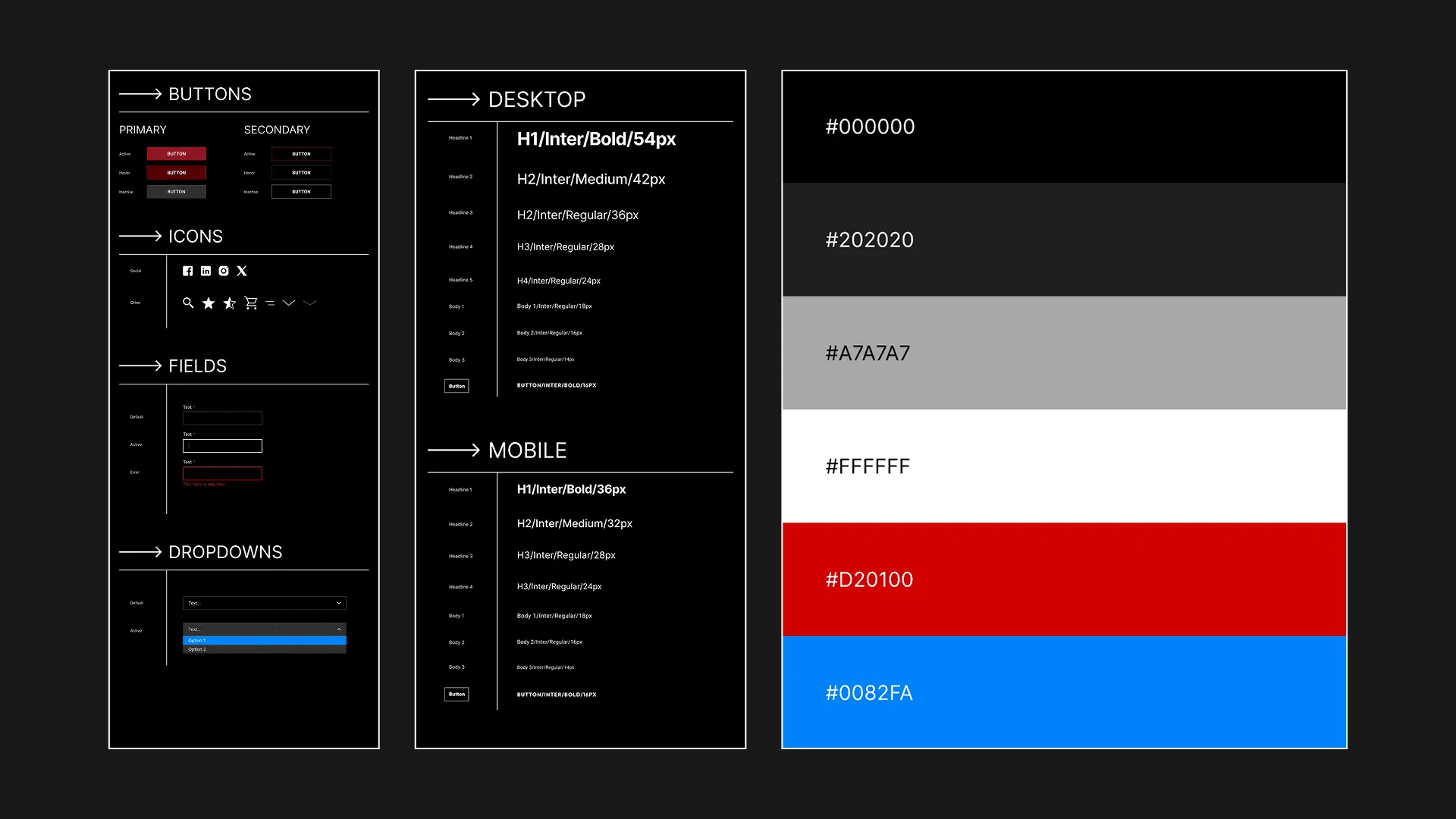
Power Driven Diesel had a high-traffic site, but it was cluttered, confusing, and slow to navigate. Users struggled to find products, and drop-off was high before checkout.
The core issue: a disorganized layout and unclear navigation were getting in the way of revenue.
They brought me in to fix that. The fix was mostly UX decisions, not new visuals, aimed at making performance parts faster to find and buy.
§ 06 · Wireframing
Wireframing
To identify where users were getting lost, I conducted a full diagnostic:
UX Audit: Flagged visual clutter, inconsistent UI patterns, and redundant CTAs
User Interviews (n=10): Users said they "didn't know where to start" or gave up mid-search
Competitor Review: Benchmarked against leading automotive eComm sites to define UX standards
Stakeholder Sessions: Clarified business goals (boost AOV and reduce bounce rate), which shaped design priorities
| Persona | Goal | Frustrations |
|---|---|---|
| Mike (33, DIY Tuner) | Find compatible parts fast | Navigation is too deep, search results cluttered |
| Tina (41, First-Time Buyer) | Understand what fits her truck | Product info too technical, unclear hierarchy |
§ 07 · Design Process + Development
Design process + development
UX Strategy
Reduced navigation layers and simplified categories
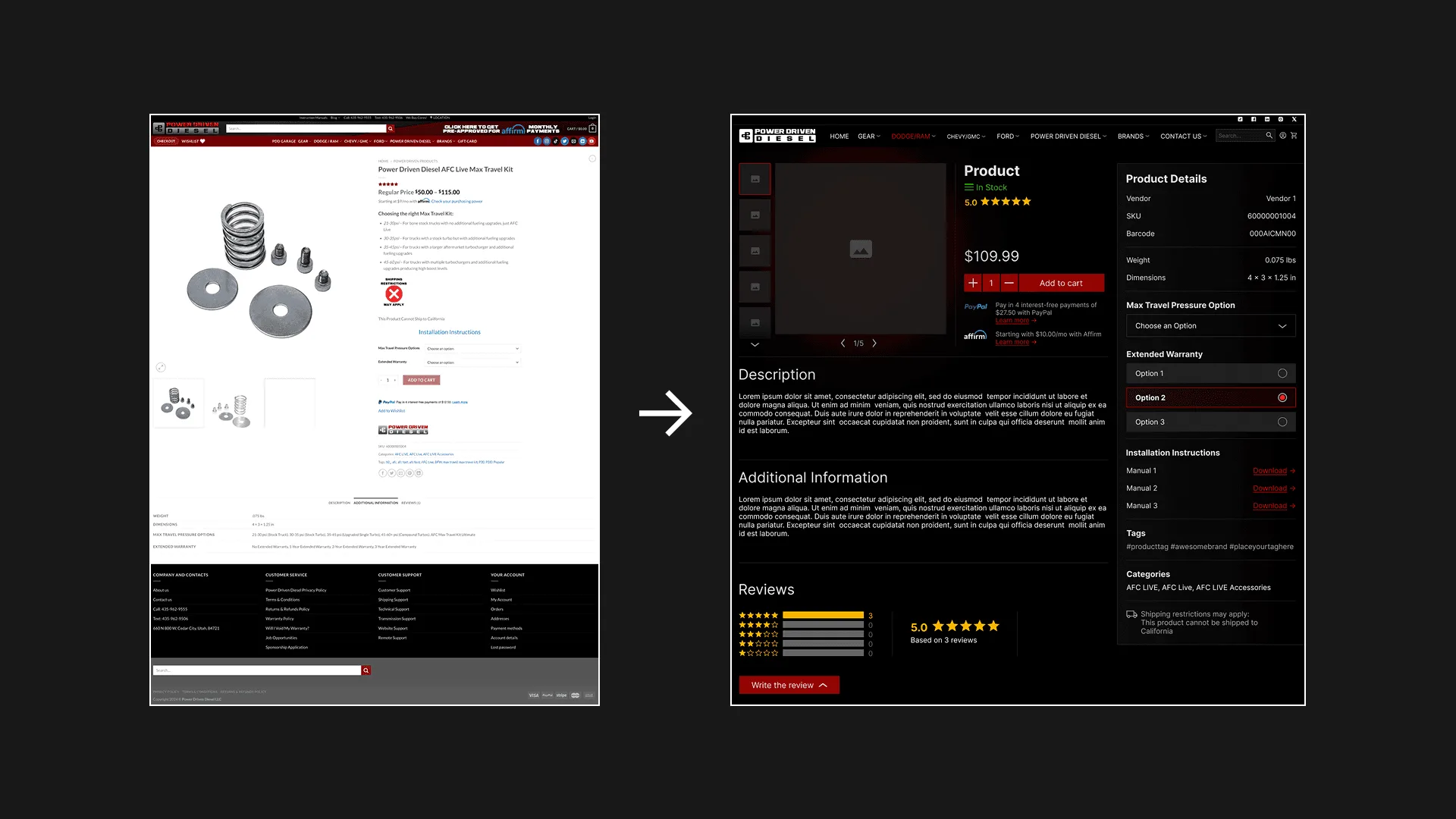
Reorganized product detail pages for clarity and skimmability
Decluttered layout with added whitespace and fewer touchpoints
Wireframes & Testing
Built low-fi and high-fi wireframes in Figma
Ran A/B tests on homepage and product flow
Iterated based on feedback, especially around search, filters, and content grouping
Visual Design
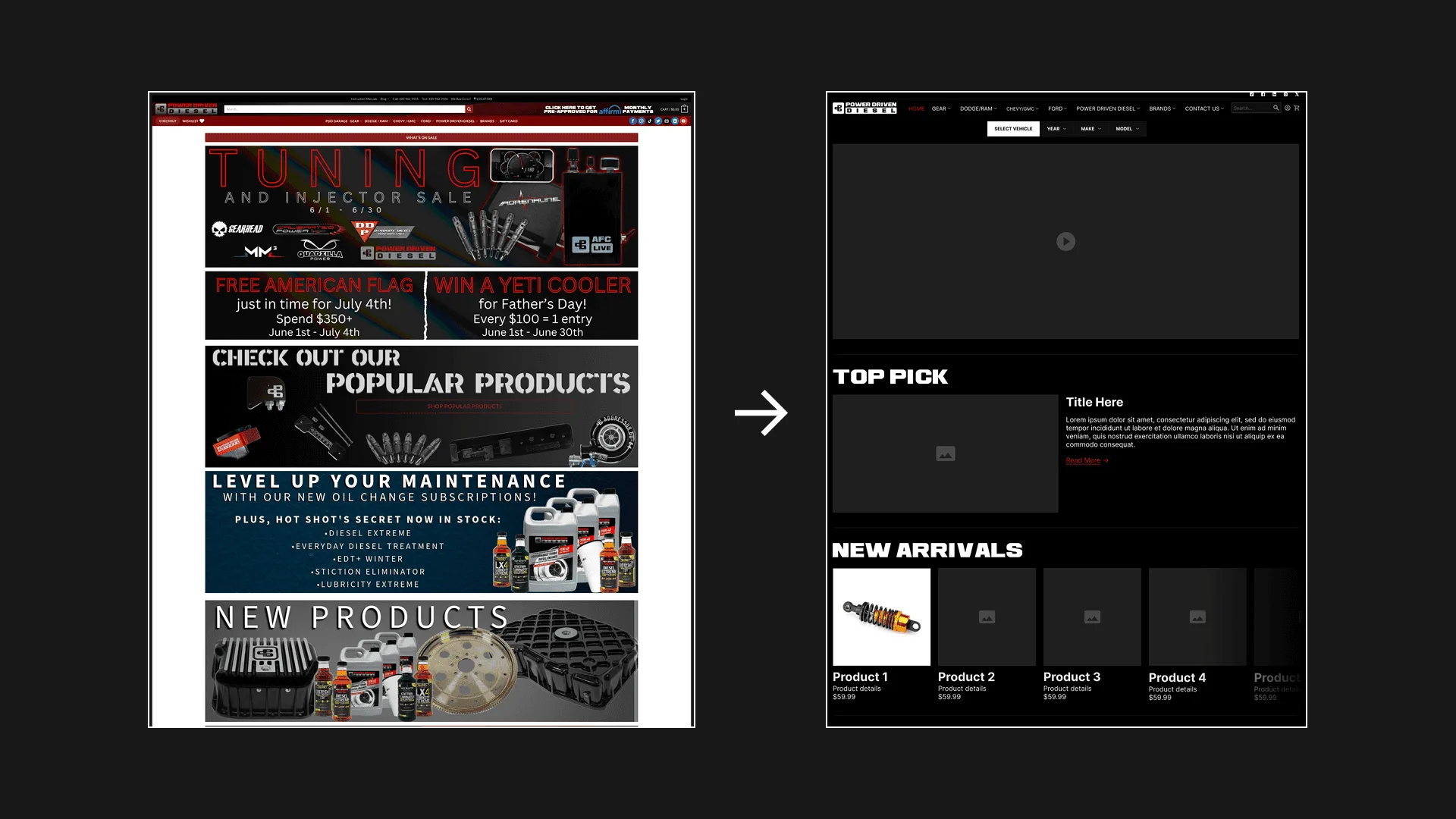
- Created a cohesive UI system:
• Modern, bold typography for technical confidence
• Clean color palette tied to the brand's rugged image
• Micro-animations to guide interaction without distraction
Dev Handoff
Created reusable components for developers (PDPs, menus, buttons)
Participated in QA and post-launch testing to ensure design integrity held up in production
§ 08 · RESULTS
Results
While testing prototypes in Maze we've achieved these results:
- Time to complete tasks −35%
- Bounce rate −20%
- SUS score +21 pts
- Positive user feedback 90%